Operations
Run the business, behind the counter.
Operations coordinates the resources, responsibilities, and approvals that keep a business moving — purchasing, inventory, workforce, and finance, with one record instead of five.
PO-1042
Uptown
₱18,400
ApprovedPO-1043
Downtown
₱6,150
PendingPO-1044
Uptown
₱2,300
ApprovedWhat Operations actually is
Information should move through the business, not get copied between it.
A stock count, an approval, a schedule change — each one is currently re-typed into a message, a spreadsheet, and sometimes a second spreadsheet. Operations gives that information one place to live, so purchasing, inventory, workforce, and finance stay in agreement without anyone reconciling them by hand.
What it addresses
The control gaps that show up as a business grows.
- Purchase orders approved over chat, with no record afterward
- Inventory counts that only match reality after a manual audit
- Workforce schedules kept in a spreadsheet only one person maintains
- Multiple branches reporting numbers that don't add up to head office's
- Approvals that stall because the one approver is unreachable
- Exceptions nobody notices until they've already cost money
Core capabilities
What's inside Operations.
Elion Operations is not a universal, finished ERP with every module switched on. Each engagement scopes the modules that matter — some capabilities here reflect active development, not a finished catalog.
ERP & purchasing
Purchase requests, suppliers, and receiving tracked as one record instead of separate paper trails.
Inventory & stock control
Stock levels that reflect what's actually on hand, updated as sales and receiving happen.
Workforce & scheduling
Shifts, assignments, and coverage visible to the people who need to act on them.
Finance & reporting
Operational numbers that roll up into reporting without a manual reconcile at month-end.
Multi-branch controls
Consistent rules across locations, with head office seeing every branch from one view.
Approvals & audit trails
Who approved what, and when — recorded automatically, not reconstructed from memory.
From the running system
Approvals and stock integrity, as they actually look.
Both screens come from TNG ERP, the purchasing and operations system the founder runs internally. They cover two different problems: getting a requisition through eight approval stages without it stalling, and knowing what stock actually moved before the next count.
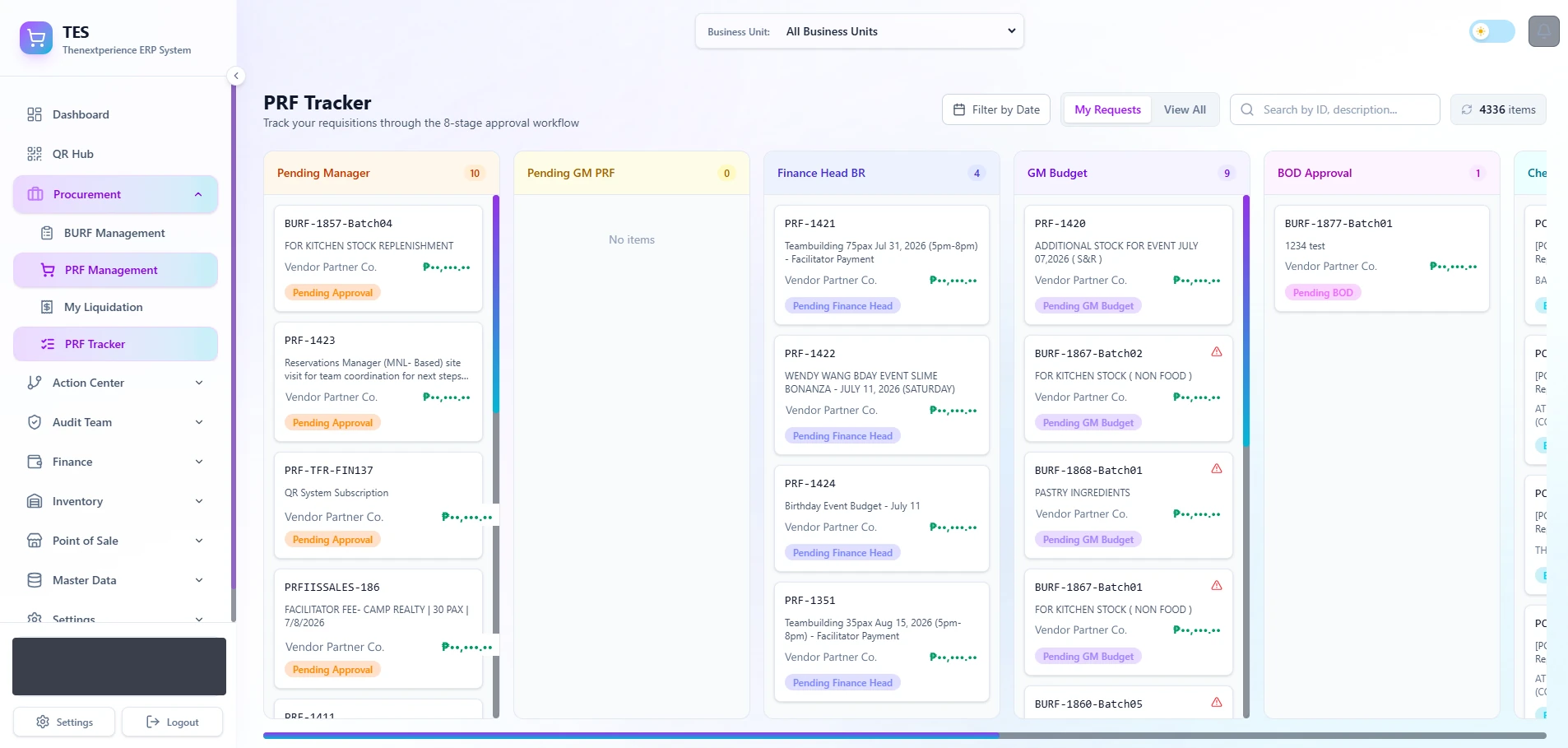
Every purchase requisition on one board, in whichever of the eight approval stages it has actually reached.
Real production data. Account-holder chip redacted before publication.
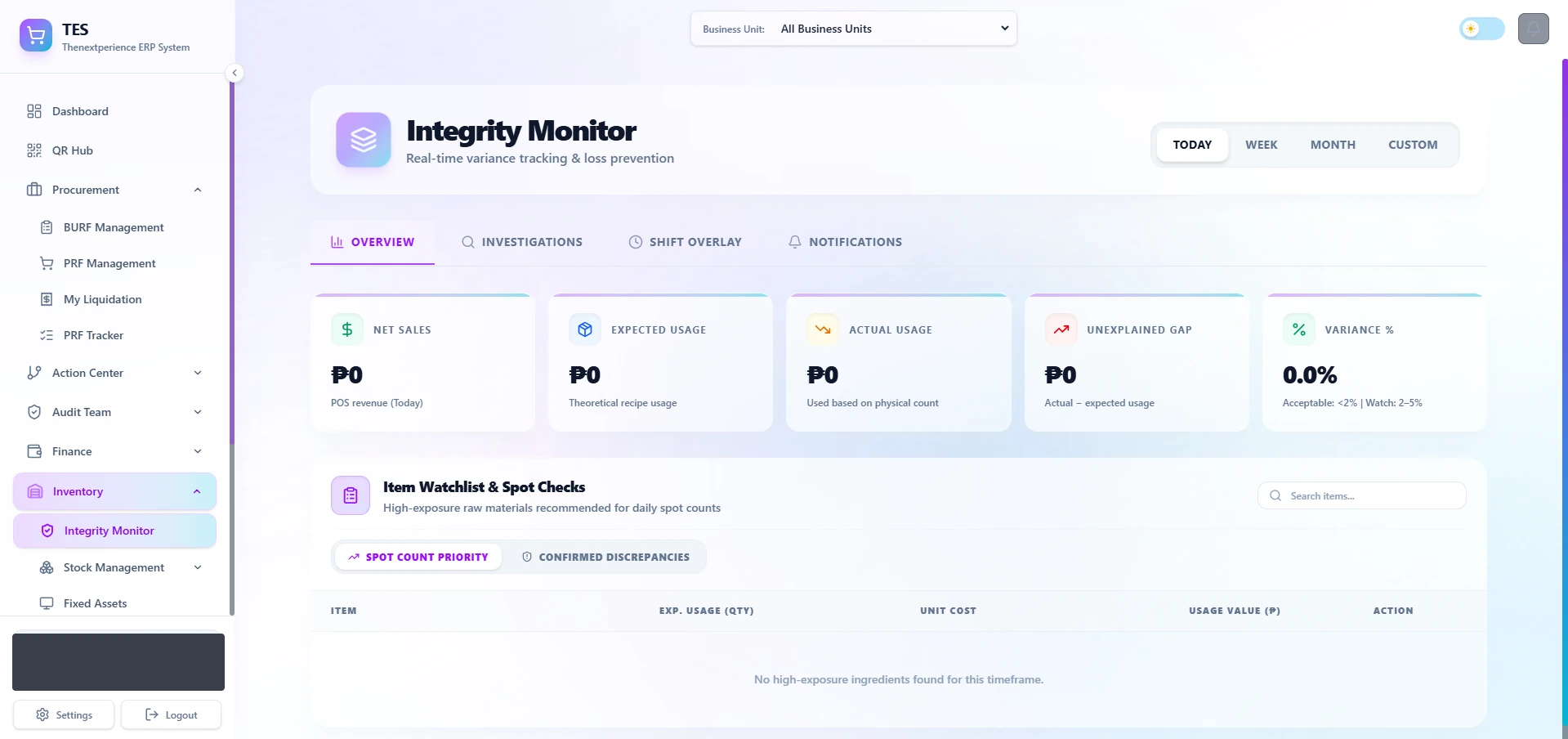
Expected usage against actual usage, with the unexplained gap calculated daily instead of discovered at the next stock count.
Real production data from a clean day — 0.0% variance, no flagged items. Account-holder chip redacted.
A concrete example
Follow a requirement from demand to a management view.
An illustrative example of how a single operational requirement moves through purchasing, assignment, and approval.
- 1
Demand
A requirement appears
An event, low stock, or a scheduled need creates a requirement somewhere in the operation.
- 2
Purchasing
Needs become visible
Inventory and purchasing needs surface on their own — not from someone remembering to check.
- 3
Assignment
Responsibility assigned
The right person or team is assigned the task, with the context they need attached.
- 4
Approval
Approvals recorded
Approvals and handoffs are logged as they happen, not reconstructed after the fact.
- 5
Management
Progress visible
Management sees current progress and exceptions, branch by branch, without asking.
When it fits
Operations is usually the right place to start when...
- Purchasing or approvals happen over chat with no record left behind
- Inventory counts only match reality after someone walks the floor
- More than one branch reports numbers that don't reconcile with each other
- Workforce assignments live in a spreadsheet only one person maintains
Operating context
Operations draws on real coordination systems the founder runs internally — labeled honestly, including the parts still under active development.
TNG ERP
Internal deploymentPurchasing, assignments, operational data, and multi-company management, used internally.
The Fun Roof
Operating systemVenue operations, staffing, and day-to-day coordination behind a live, running venue.
Status reflects each system’s stage today, not a commercial claim. Verified screenshots and full case studies are in preparation and arrive in a later stage.
The next step
Start with a Systems Assessment.
A focused conversation about how your operation runs today, where it loses time, and what a connected system would change. No obligation to build anything.
In an assessment we
- Understand how your operation runs today
- Identify the disconnected systems and bottlenecks
- Map the highest-value improvements
- Decide together whether Elion is the right fit